Dynamic QR codes
Dynamic QR Codes You Can Change Anytime
Create one now, or generate hundreds from a CSV.
One destination becomes one dynamic QR code. Need more than one? Switch to the Bulk CSV tab above.
Applies to this QR code
Customize designBlack on white · No logo
Print check — No known issues
Test-scan the final printed size before a large print run.
View details
- Strong color contrast (21.0:1).
- Dark code on a lighter background.
These automated checks catch known design risks only. They can't see your paper, ink, print size or lighting — test-scan the final printed size before a large print run.
A representative preview of this design. It encodes a sample link, not your code's own link.
This is a design preview, not your final code. Your editable dynamic QR is created when you activate it — its actual link is generated at that moment, so it can't be shown in advance.
$19/month · up to 500 active dynamic QR codes · monthly billing
Once activated, you can change where this code points, even after printing.
Free to design. $19/month to activate — up to 500 active dynamic QR codes.
Need more than one? The same workspace manages up to 500 active codes for $19/month.
Printed already? Change the destination without reprinting.
A normal QR code has the destination baked into the pattern — wrong once, wrong on every printed copy until it is reprinted. Every VastQR code redirects through a short link instead, so only the destination changes.
- Printed QR
The pattern on the packaging, sign or card is fixed the moment it is printed.
- Destination
Edited any time from a field in your dashboard — no design file, no reprint.
- Physical QR
Stays exactly as printed, now sending people to the new destination.

How it works
Create → Print → Change → Manage
One QR code or five hundred — the same four steps, from a destination URL to a code you can still edit after it is printed.
- 01
Create
One URL or a spreadsheet.
- 02
Print
Put the QR on packaging, menus, signs, mailers, etc.
- 03
Change
Update the destination without reprinting.
- 04
Manage
Search, pause, update, and manage up to 500 active codes.
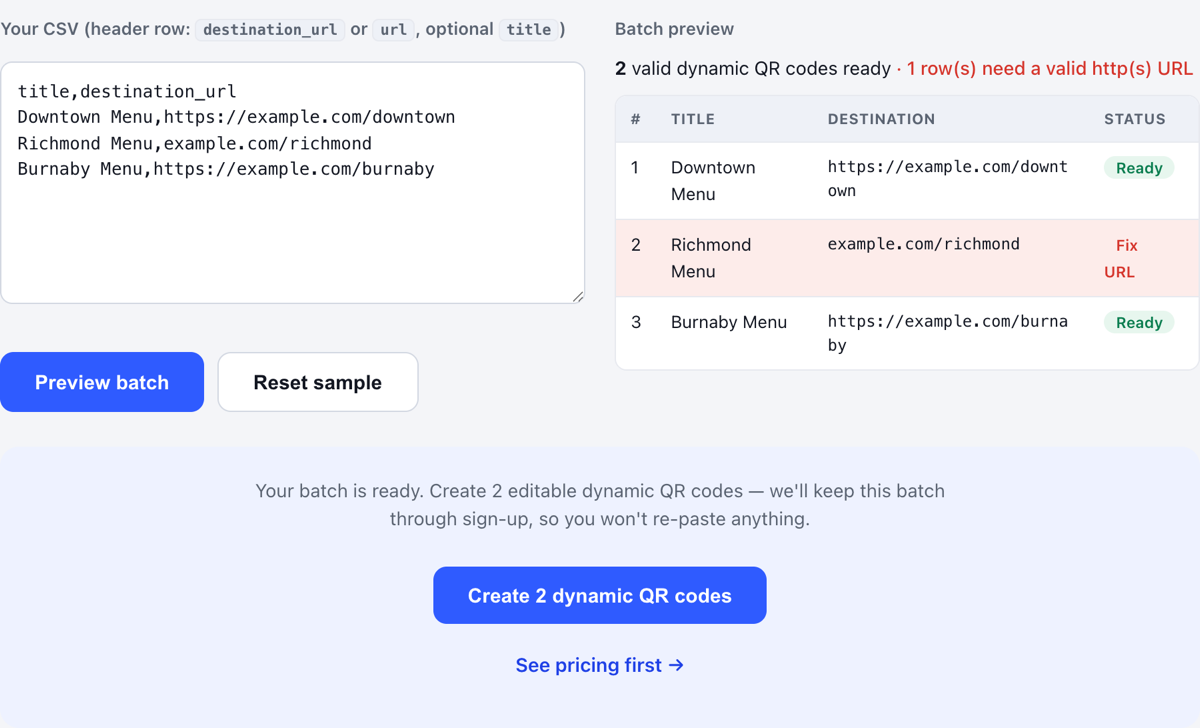
One dashboard for every code you have printed
Generating the batch is the easy half. VastQR is built for the rest of its life:
- Edit the destination on any code, any time — no reprint.
- Pause or reactivate a code as your batches change.
- See a scan count on every individual code, not one combined total.
- Download PNG, SVG or PDF for any code again whenever you need it.
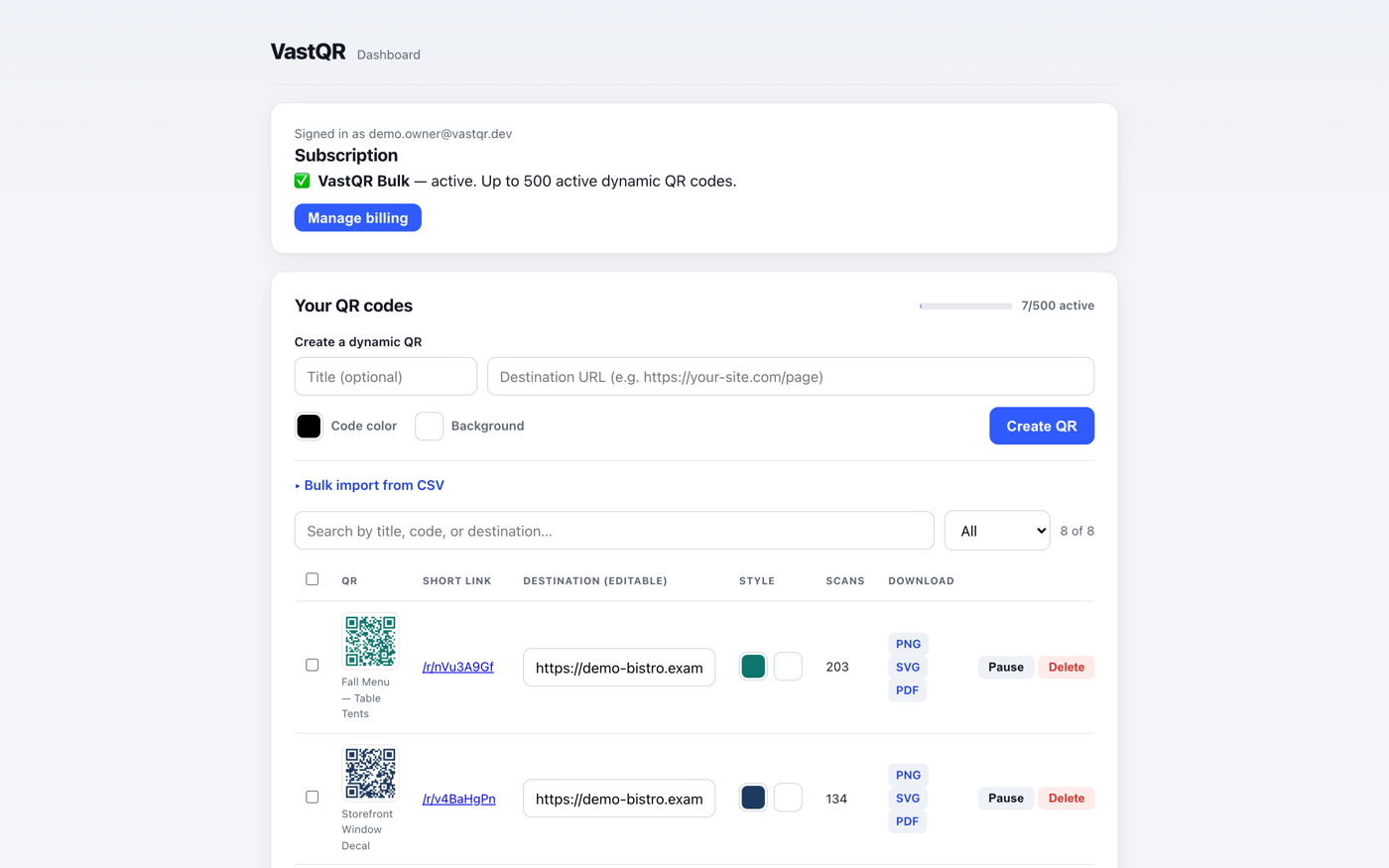
Who VastQR is for
Print & operations teams
Anyone putting QR codes on menus, packaging, signage or a print run who needs the destination to stay changeable afterwards.
A restaurant group repointing 200 table cards when the menu platform changes.
Multi-campaign marketers
Teams running many codes across locations or campaigns who need one place to organise and update them.
One campaign, sixty placements, each with its own scan count.
QR power users
People who have outgrown one-at-a-time generators and want to create and manage codes as a batch.
A spreadsheet of 500 product inserts that has to survive the next two years.
One plan for high-volume QR work
Prepare and validate a whole batch before you decide whether to pay for it. $19 a month for up to 500 active dynamic QR codes — monthly billing, no annual contract, no per-scan charge.
No tiers, no per-scan billing, no annual contract
Active means live and redirecting. Pausing a code frees a slot and reactivating uses one again, so the limit is a working budget rather than a cap on how many codes you can own.
VastQR Bulk
Up to 500 active dynamic QR codes
- CSV bulk import with row validation
- Edit destinations after printing
- Scan count on every code
- PNG, SVG and PDF downloads
- Colour and logo controls
- Month-to-month billing
Frequently asked questions
What is a dynamic QR code?
Can I create QR codes in bulk?
What file formats can I download?
How much does it cost?
Guides: editing after printing, print sizing, spreadsheet workflows and scan analytics →
Create one. Scale to 500.
$19/month · up to 500 active dynamic QR codes. No annual contract and no per-scan charge.